Launch-Monitors Compared: Five Models for Your Golf Training
From a simple distance trainer to a premium simulator solution: We compare five Launch-Monitors based on measurement data, features, price, and intended use.
A Launch-Monitor makes your golf practice more measurable. Instead of relying solely on how the shot feels, you get immediate feedback on clubhead speed, ball speed, launch angle, and distance. This allows you to better assess how far your clubs actually hit the ball, track your progress, and work on your game in a more targeted way.
But a Launch-Monitor doesn’t automatically have to cost several thousand euros. The five models in this comparison cover a range of needs: from a simple entry-level device without an app or subscription to a high-quality indoor simulator solution with an integrated touchscreen and virtual golf courses.
The Five Golf Launch-Monitors at a Glance
| Model | Price | Measurement Principle | Measurement Scope | Display and App | Particularly suitable for |
|---|---|---|---|---|---|
| GolfBuddy Shot Mate | €179.99 | Radar | 5 key measurements |
Backlit LCD, no app required |
Beginners and budget-conscious golfers |
| Shot Scope LM1 | €239.99 |
Doppler radar, 24 GHz |
5 key metrics |
3.5-inch color display, free app |
Training for golfers with no recurring costs |
| Garmin Approach R10 | €499.99 | Radar | Comprehensive ball and club data | Display via smartphone or tablet | Versatile training and virtual rounds |
| Rapsodo MLM2 PRO | €599.00 | Radar and optical cameras |
15 metrics, 8 of which are measured |
App with video and simulation features | Detailed spin and swing analysis |
| Garmin Approach R50 | €4,699.00 | 3 high-speed cameras | More than 15 ball and club metrics | Built-in 10-inch touchscreen | Stationary indoor training and simulation |
Brandname
Title will go here and can run on two lines
Brandname
Title will go here and can run on two lines
GolfBuddy Shot Mate: A Simple Way to Get Started
The GolfBuddy Shot Mate focuses on the most important information for your practice. The radar-based device measures clubhead speed, ball speed, smash factor, carry distance, and total distance. This gives you exactly the data you need to better assess your shot distances and swing speed.
The operation is intentionally kept simple. You don’t need an app or a smartphone—just place the Shot Mate about 1.0 to 1.5 meters behind the ball. A built-in kickstand makes positioning easy. The results are displayed on the backlit segment LCD within about one to three seconds after the shot.
According to the product specifications, the speed range is 20 to 200 mph, covering all clubs from Wedges to Drivers. The data can be displayed in mph or km/h. Up to 250 recordings can be saved in the history log. This allows you to track your performance over multiple practice sessions using the device.
With its compact dimensions of 150 × 75 × 31 millimeters, the Shot Mate fits easily into a golf bag. The housing is made of polycarbonate and features a durable radar cover. However, the device is not suitable for use in the rain: The Shot Mate is not waterproof and should only be used in dry conditions.
Who is the GolfBuddy Shot Mate suitable for?
The Shot Mate is a good choice if you want to track basic training data without complicated setup. The device offers easy access to Launch-Monitor technology, particularly for beginners, players with higher handicaps, and golfers who want to track their club distances or clubhead speed.
Its strength lies in its straightforward use—no app or recurring costs required. If you’d also like to analyze spin rates, video recordings, swing paths, or virtual golf courses, you should check out the more feature-rich models in this comparison.
Shot Scope LM1: More Convenience Without a Subscription
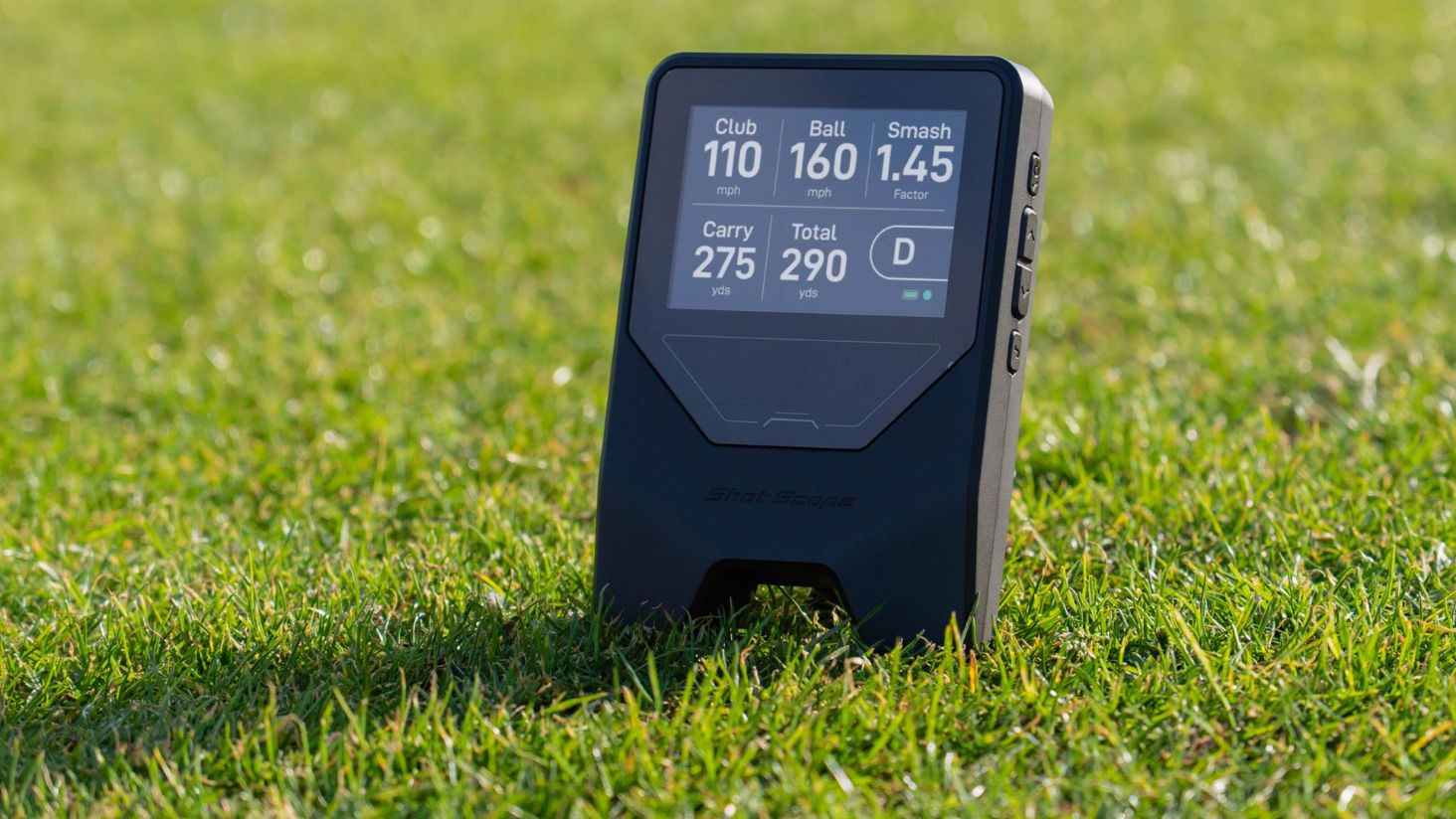
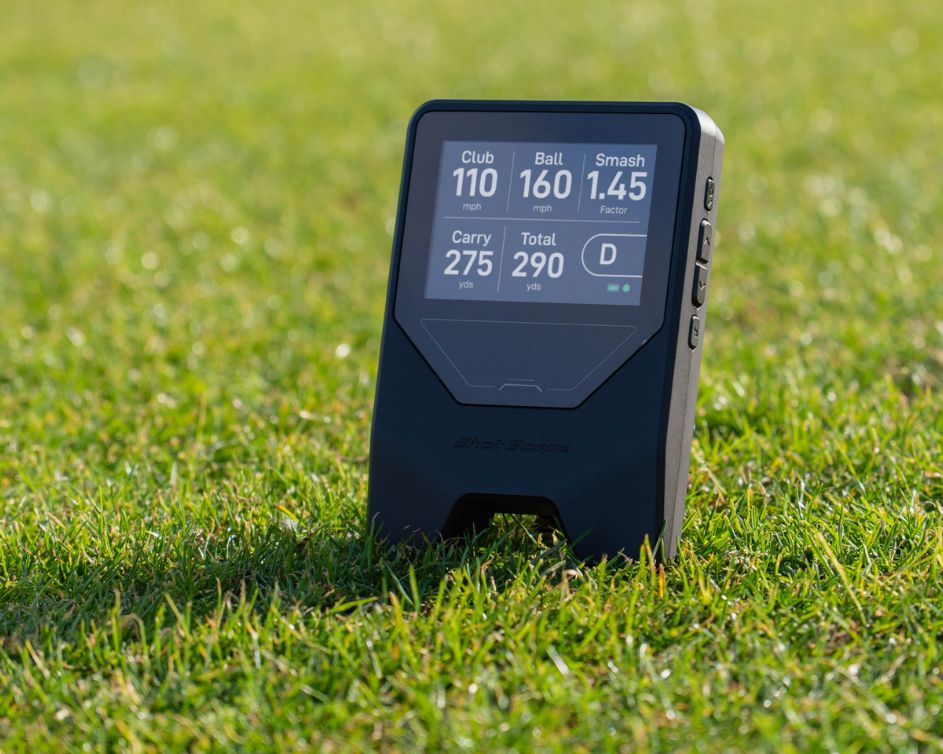
The Shot Scope LM1 also provides the five basic metrics: clubhead speed, ball speed, smash factor, carry distance, and total distance. Compared to the GolfBuddy Shot Mate, however, it supplements these basic functions with a 3.5-inch color display, Bluetooth connectivity, and a free app for later analysis.
For measurements, the LM1 uses a K-band Doppler radar with a frequency of 24 GHz. The device is positioned about 1.5 meters behind the ball and is ready for use in just a few seconds. The data is displayed directly on the monitor, so you don’t necessarily need your smartphone during practice.
The LM1 stores up to 1,920 shots. The data can be synced with the Shot Scope app via Bluetooth. There, you can track your shot history over the long term and monitor your progress across different training sessions. According to the product description, there are no subscription fees for these features.
One special feature is the Speed Training mode. It allows you to specifically work on your clubhead speed—either with your regular golf clubs or with special speed sticks. The specified battery life is up to five hours, and a full charge takes about two hours. Charging is done via USB-C.
Weighing 300 grams and coming with a carrying case, the LM1 remains portable. Its IPX3 certification protects the device from light rain. However, caution is advised during heavy rainfall or when using it in very wet conditions.
Read more about the Shot Scope LM1 Launch-Monitor here.
Who is the Shot Scope LM1 suitable for?
The LM1 is a good fit if you train regularly and want more features than a basic entry-level device offers. The color display, data history, and speed training mode make it a versatile training partner without requiring you to commit to a paid subscription.
Compared to devices from Garmin and Rapsodo, the range of features has been deliberately kept manageable. Spin rate, spin axis, swing path, and video analysis are not among the measured metrics. For distance and speed training, however, the LM1 is fully equipped.
Garmin Approach R10: The Versatile All-Rounder
The Garmin Approach R10 is designed for golfers who want to track more than five basic metrics. Among other things, this radar-based Launch-Monitor measures clubhead speed, ball speed, clubface angle, swing path, attack angle, launch angle, launch direction, maximum height, carry distance, spin axis, golf ball revolutions, smash factor, and total deviation.
The measurements are displayed on a smartphone or tablet via the Garmin Golf app. The R10 does not have its own display. Instead, the app automatically records your swings as videos and supplements them with graphical representations of the ball’s flight. In training mode, shot data for individual clubs can also be saved.
The R10 isn’t just meant for the driving range. Depending on the app’s features and your membership, you can play virtual rounds on more than 42,000 golf courses, participate in tournaments, or connect the Launch-Monitor to E6 Connect. This allows the device to be used for both structured training and recreational play.
With a battery life of up to ten hours, the Approach R10 is also suitable for longer training sessions. Its IPX7 water resistance also makes it particularly durable for outdoor use. The package includes, among other things, a tripod, a carrying case, and a smartphone mount that can be attached to a golf bag.
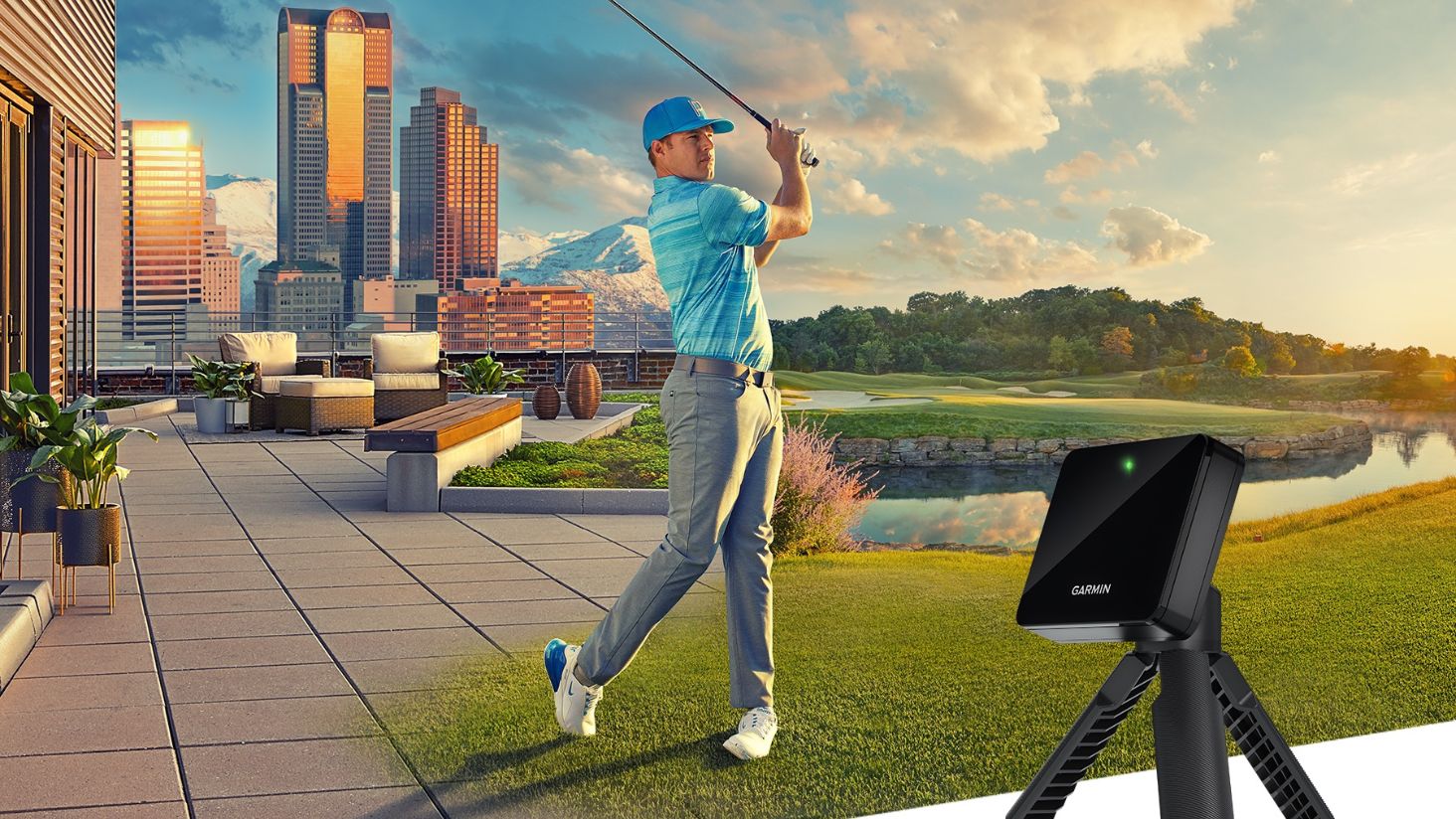
Who is the Garmin Approach R10 designed for?
The Approach R10 is a good choice for golfers who want to combine comprehensive swing data, automatic video recording, and virtual play options. It’s particularly well-suited for players who already incorporate a smartphone or tablet into their training and want to take advantage of the additional features offered by Garmin’s software.
It’s important to distinguish between the basic functions and the advanced features. A compatible mobile device is required for display and analysis. Certain simulation and course features may also depend on an active membership or additional requirements.
Rapsodo MLM2 PRO: Detailed Analysis with Radar and Camera
The Rapsodo MLM2 PRO takes swing analysis a step further. The device combines radar processing with dual optical camera technology and, according to the product specifications, captures 15 metrics. Eight of these values are measured directly. The measured metrics include, among others, ball speed, launch direction, clubhead speed, launch angle, spin rate, spin axis, swing path, and angle of attack.
Other values displayed include, for example, smash factor, carry distance, total distance, side carry, descent angle, apex, and shot type. This distinction is important: Not every displayed metric is directly measured in the same way. Some values are derived or calculated from other measurement data.
One of the MLM2 PRO’s key features is video analysis. The built-in high-speed camera operates at up to 240 frames per second, allowing for a detailed view of the moment of impact. With Shot Vision and Impact Vision, you can view your swings from multiple perspectives, track the ball’s flight with a Shot Tracer, and better understand the connection between swing feel and results.
The R-Speed platform is available for speed training. Additionally, the Rapsodo Combine offers a fun training format with various exercises. Through R-Cloud, you can save session histories, swing videos, and data, as well as export data.
The simulation capabilities are also extensive: with an active premium membership, more than 30,000 golf courses and two virtual practice areas are available. The MLM2 PRO is compatible with Apple and Android devices. The package includes a tripod, a carrying case, a charging cable, and RPT golf balls, which are designed for specific measurement functions. The purchase also includes a 45-day trial period for the Premium membership.
Who is the Rapsodo MLM2 PRO suitable for?
The MLM2 PRO is ideal for ambitious golfers who want to analyze not only distance and speed but also spin, swing path, angle of attack, and the moment of impact. The combination of measurement data and video is particularly valuable: You not only get a numerical value for your shot but can also see exactly how the shot was executed.
On the other hand, the MLM2 PRO is more heavily geared toward use with a compatible mobile device and the Rapsodo app. Those who simply want to measure carry distances and clubhead speed may not fully utilize this device’s potential. For players interested in the technical aspects, as well as regular users of the training and simulation features, however, it offers a significantly broader range of functions.
Garmin Approach R50: The Premium Solution for Indoor Golf
The Garmin Approach R50 is not designed as a small, portable rangefinder, but rather as a comprehensive Launch-Monitor and simulator solution. Weighing 4.1 kilograms and measuring 41.9 × 26.9 × 19 centimeters, it is significantly larger than the other devices in this comparison.
The R50 uses three high-speed cameras for measurement. It tracks more than 15 ball and club metrics, including clubhead speed, clubface angle, swing path, angle of attack, ball speed, launch angle, launch direction, axis of rotation, rotation rate, apex height, smash factor, carry distance, total distance, and total deviation distance.
It is operated directly via the built-in 10-inch LCD touchscreen with a resolution of 800 × 1,280 pixels. A smartphone or tablet is therefore not required for basic use. Impact moment videos, club statistics, golf bag analyses, and various training modes are directly integrated into the solution.
Features include, among others, standard Tee, target drills, driving range, and Putting in the golf simulator. More than 43,000 virtual golf courses are available through Home Tee Hero. An active Garmin Golf membership is required for certain simulation features. The R50 also supports connections via USB-C, HDMI, Wi-Fi, and Bluetooth and is compatible with third-party simulators.
Battery life is up to four hours. The device is splash-proof per IPX3 and is therefore primarily intended for dry indoor environments or appropriately protected areas.
Who is the Garmin Approach R50 designed for?
The Approach R50 is aimed at golfers looking for a high-quality, self-contained indoor training and simulation solution. The built-in display, camera technology, and wide range of features make it an attractive option for home golf studios, ambitious training setups, and regular virtual rounds.
The high purchase price and comparatively limited portability should be taken into account when making a decision. For occasional training sessions at the driving range, the more compact models are more practical and significantly more affordable. The R50 really shines where there is permanent space available for an indoor solution.
A direct comparison of the five models
Which Launch-Monitor provides the most important basic data?
The GolfBuddy Shot Mate and the Shot Scope LM1 focus on five key metrics: clubhead speed, ball speed, smash factor, carry distance, and total distance.
The GolfBuddy is the particularly simple solution that doesn’t require an app. The Shot Scope LM1 additionally offers a color display, Bluetooth, a long-term data history, and a speed training mode. If you want to regularly monitor your distances and swing speed, both devices are sufficient as a starting point.
Which Launch-Monitor offers the most detailed analysis?
The Rapsodo MLM2 PRO and the Garmin Approach R50 offer the widest range of measurements and analysis. Both models track significantly more than just distance data, incorporating spin, swing path, and other technical metrics.
The Rapsodo places special emphasis on app-based video analysis. The Garmin R50 combines camera technology and extensive measurement data with an integrated display and a standalone simulator solution.
Which Launch-Monitor is best for speed training?
The GolfBuddy Shot Mate and the Shot Scope LM1 are ideal for straightforward speed training. Both display clubhead speed directly. The LM1 also features its own speed training mode.
The Rapsodo MLM2 PRO integrates speed training with R-Speed into a more comprehensive digital training platform. It’s therefore a good choice if you want to combine your speed training with additional analysis and simulation features.
Which model is the most portable?
The GolfBuddy Shot Mate and the Shot Scope LM1 are particularly compact and easy to transport. The Garmin Approach R10 and the Rapsodo MLM2 PRO are also designed for portable use, complete with a carrying case and tripod.
The Garmin Approach R50, on the other hand, is more of a stationary solution. Weighing 4.1 kilograms and featuring a built-in 10-inch display, it’s better suited for a permanent indoor training area than for spontaneous use on the driving range.
Which devices require a subscription?
The GolfBuddy Shot Mate works without an app or a subscription. The Shot Scope LM1 also offers its basic functions and shot history without ongoing subscription fees.
With the Garmin Approach R10, the Rapsodo MLM2 PRO, and the Garmin Approach R50, additional simulation and course features may be tied to a membership. That’s why it’s worth taking a close look before purchasing to see which features you actually want to use and which of them are available for free.
Which Launch-Monitor is right for you?
You want to get started as easily and affordably as possible
GolfBuddy Shot Mate
If you want to track basic training data without an app, smartphone, or subscription, the Shot Mate is the simplest way to get started. It focuses on speed, smash factor, and distance, and fits easily into your golf bag.
You want to train regularly without ongoing costs
Shot Scope LM1
The LM1 offers more convenience and analysis options than a basic entry-level device. A color display, data history, Bluetooth, and speed training make it a great choice for regular practice sessions without a subscription.
You want to combine training with virtual rounds
Garmin Approach R10
The R10 is the versatile all-rounder in this comparison. It provides comprehensive shot data, records swings, and—depending on the app and membership—enables virtual rounds and tournaments.
You want to analyze spin and torque more precisely
Rapsodo MLM2 PRO
The MLM2 PRO is particularly interesting if you want to analyze your technique not only through numbers but also through video. Spin rate, spin axis, swing path, angle of attack, and moment of impact videos provide significantly deeper insights than a simple distance meter.
You want to set up your own indoor golf studio
Garmin Approach R50
The Approach R50 is the most comprehensive solution in this comparison. Its integrated touchscreen, three high-speed cameras, and extensive simulator features make it the ideal choice for a permanent indoor setup.
The right Launch-Monitor depends on your training goals
The five devices follow different approaches. The GolfBuddy Shot Mate and the Shot Scope LM1 are designed for golfers who primarily want to measure distance and swing speed. The Garmin Approach R10 and the Rapsodo MLM2 PRO expand your training with app features, video analysis, and virtual play options. The Garmin Approach R50, on the other hand, is a full-fledged indoor simulator solution.
There is therefore no one-size-fits-all recommendation for all golfers. If you want to train in a straightforward way without ongoing costs, the GolfBuddy Shot Mate and the Shot Scope LM1 are interesting options. For more comprehensive analysis, the Garmin Approach R10 offers a versatile entry point, while the Rapsodo MLM2 PRO opens up a wide range of possibilities for video and spin analysis. If you want to permanently take your at-home golf training to a new level, the Garmin Approach R50 is the most comprehensive solution—though it’s also the most expensive.
Ultimately, the key factor is what data you really need for your training. The more extensive the analysis and simulation features become, the higher the purchase price tends to be—and the more space and technical setup effort are generally required.

Brandname
Title will go here and can run on two lines
Brandname
Title will go here and can run on two lines
Brandname
Title will go here and can run on two lines
Brandname
Title will go here and can run on two lines
Brandname
Title will go here and can run on two lines
Brandname
Title will go here and can run on two lines
Brandname
Title will go here and can run on two lines
Brandname
Title will go here and can run on two lines
Release date
18 Sep 2026
photos
Launch-Monitors help you analyze your golf training. (Photo: ALL4GOLF)
